Former working partners who have faced the storm of adversity and flown to find new homes. Ann is now the Director of Instructional Technology with McAllen ISD and Cindy is the Head Librarian at an International School in Germany. We love connecting kids with books and incorporating 21st century tools into lessons. Follow our blog and we will teach you on the fly...
Matt De La Pena at the Region One Spring Librarian's Conference
Matt De La Pena spoke to about 160+ librarians at Region One on February 14th, an appropriate Valentine's gift for all of us. Authors are always a joy to listen to, but when you have one that really moves you, then it just makes it that more special.
My biggest take away from his talk was this. Teachers and librarians can make a difference. His junior year, Matt had his 11th grade teacher encourage him by telling him that for the exam she had already given him an A, she just wanted him to write for 2 hours about anything he wanted to. She knew it would be magic, Matt just didn't understand that yet. Then, while in college, he had a librarian that paired him up with a book. He had never had anyone do that before. He wasn't really interested in the book at the beginning, but later found that he needed to finish it. He couldn't understand why she felt this book would mean something to him. Then, when he got to the end, he got teary eyed. He stressed that no tears actually came out, but I have read the book he was talking about and I can't imagine that he didn't. Ultimately, his message was loud and clear. Make a difference, not just with kids that are always involved in the lessons, but seek out the kid in the back. The one who isn't sure what his/her gift is. Maybe, just maybe, you will see what they can't see just yet.
Loved his talk and can't wait to read his newest book, The Living. You can learn a little bit about it right here: https://www.kirkusreviews.com/features/making-leap/
It has been a while since I have hosted a Family Literacy Night for a school. The TLI Literacy Coach and I have been working to plan a Dia De Los Muertos Literacy Night on November 7th. Because McAllen ISD is a 1:1 device district, I am trying to make what I can paper free.
Questions I had to ask myself to get started:
1. What is your purpose for the event?
My principal and I decided that we combine our Literacy Night with the Dia De Los Muertos activities I was doing in the library. We want parents to come out not only to share literacy tips and ideas on how they can help their child at home, but to make sure that they are signed up on our District's Zipp Slip and see where they are at if their child doesn't have their iPad yet.
2. Are all of your teachers invested? This task shouldn't be difficult if you give your teachers ideas for activities and share literacy pamphlets with them. There are a lot of different things out there for students to do while teachers are sharing with parents. I made some foldable activities, book marks, mask making, word searches, and much more to help spark the teacher's interest.
3. Do you have a committee helping you? I met with the TLI Literacy Coach and the lead person from every grade level so that they could give input on the event.
4. How will you get parents to come to your Literacy Night? There will be free hotdogs (1 per person) for the first 200 people that show up. Food always brings in families.
5. How will you promote your event? Virtual Newsletter that goes out to parents, Library Home Page, and Displays with QR codes.
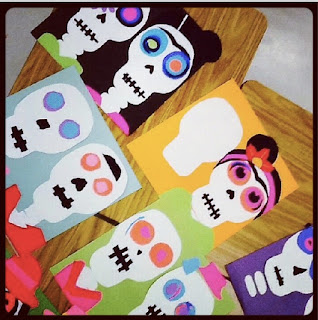
This is the Library Display
Display by the front office with QR Code (Visualead) to Download the Event App (YAPP)
6. Do you need sponsors - Our PTO is buying all of the hotdogs and I am reaching out to local businesses for loteria prizes.
7. What special things do you have set up? I have a book fair that will be going on, a fabulous local author that will share local legends and folklore from his books, and I have the high school mariachi group performing Day of the Dead songs.
Literacy Events should be fun and informative for everyone involved. I am looking forward to all of Field's K-5 students having a great time! Please share some of your literacy event ideas in the comments below!
Cindy and I worked diligently on preparing calendars for our libraries that highlighted upcoming events like Teen Read Week or National Library Week. I wanted to try to create an interactive calendar that would give students a heads up on what would be happening during the month. I also wanted to incorporate a couple of great tools like ThingLink and MoveNote.
When you take a look at the Calendar below for October, notice that if you scroll over the calendar, there are links that will take to you sites and video. We have blogged numerous times on ThingLink and that is what we used to make the calendar interactive. Now, look specifically at October 14th and 15th. You will see two MoveNote presentations on those dates.
MoveNote is a wonderful tool that allows you to upload PowerPoint presentations and create video to go along with it.
Move note is free and allows you to upload PDF's and JPG's. I had to save my PPT presentation into JPEG files then upload them afterwards.
Once you create an account, you can use MoveNote to enhance educational presentations. Here is MoveNote's video on how easy it is to create a presentation.
Interactive Calendars for your library can be a lifesaver especially with events like Teen Read Week. Tools like ThingLink and MoveNote make that calendar something that in the long run will make your life easier! Can you see yourself making interactive calendars or what about interactive flyers for library events. Share some of the ways you think you can use any of these tools; Cindy and I would love to hear from you!
Google Hangouts are a great way to meet with your contacts, in fact, you can host up to ten people when you hangout. I tried it out a couple of times with my daughter just to see how it all worked. The first thing you need is a Google+ account if you don't already have one. After you have created your Google+ account, you will need to find others who have a Google+ account so that you begin creating a contact list.
When you get to your home page on Google+, you will see options on the left side that you can choose from.
You can see the highlighted Hangout in yellow in the photo below and the red Start a Hangout in the top right corner.
When you click on Start a Hangout, you are given an option to enable hangouts on air, if you select this, your hangout is no longer private, but allows you to broadcast your hangout on YouTube for an audience to see. You can see that a pop up making sure that you want this session to be broadcast and not private requires you to click your decision. You are also asked to name your hangout, maybe Author Visit with John Green or April Library Meeting.
The person or people that you are asking to join your Hangout Session will be notified in their Google+ account on the top right corner. Once they click to accept that they are joining the session, all parties in the Hangout will appear on the bottom. Again, you can have up to 10 people in the Hangout and the person talking will be the one that appears in the large screen. The microphone detects the speaker and displays them for all to see.
As I presented this to the library coordinators at their monthly Region One meeting, I had the camera focused on them, so when they spoke, you would see them on the screen.
There are a lot of options you have access to during the hangout like chatting between participants that displays on the side, sound effects and even props that you can use in a more relaxed environment. My daughter was putting eye patches on me and a tiara on her.
How is this all different than Skype and Face Time? For one, the sheer number of participants allows it to be more conducive to conferencing than the other two. Of course the best part is the broadcasting you can do. Imagine having an author visit with schools across your district and being able to broadcast it for parents or others. As I brainstormed ways Google Hangouts can be used, these things popped into my head: Authors, graduations, professional development and even tutorials with students that would give them the capability to come back and review the whole session on your YouTube channel. I saw these examples on twitter today....
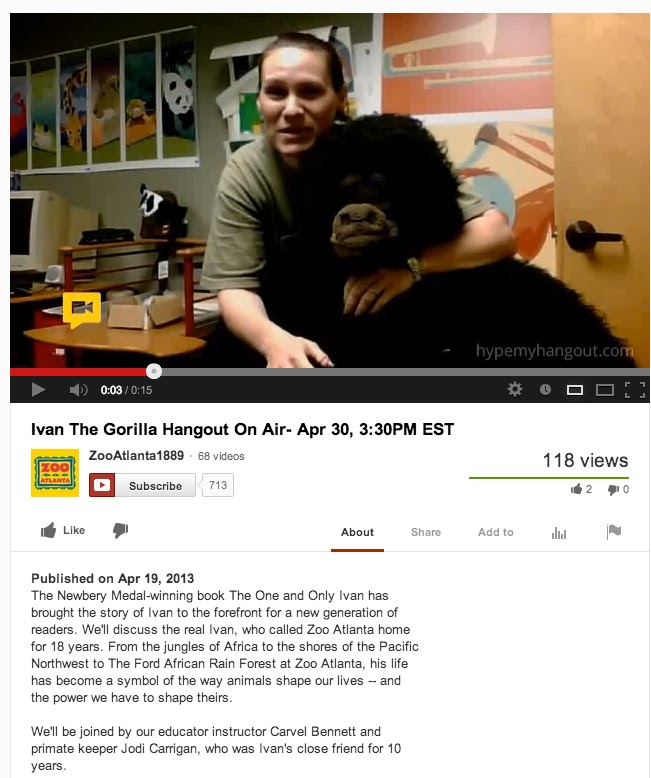
And this video of an Atlanta Zoo Hangout....
And information about a Hangout with Atlanta Zoo's Ivan the Gorilla....
Are the wheels in your brain turning yet? How can you use Google Hangouts?
Every year I discover I have a different theme to the events I attend. I do not plan them out... I usually discover it upon reflection on the 2nd or 3rd day. Last year, as a new TALL Texan, I spent more time volunteering and networking than ever before. The year before that you could find me in every library advocacy or collaboration session available, trying desperately to find the silver bullet to save my job. Previous years' targets include technology integration, early childhood programming, and yes... even securing free items from the vendors.
This year I thought I would be into technology and apps, but it has been all about authors. Being out of the library and on the road for the past two years, I have lost touch with books. It is a rare day that I recommend books to students. The lessons I taught this year have all had either a technology and/or research focus (usually both!). But my literacy lessons and book talk hats have been left hanging on their hooks.
This year I found myself migrating to the author sessions... Most of them YA authors... And they have been wonderful...
Digging into my memory bank, I realized that as a high school student I NEVER visited the library for recreational reading. NEVER. Not once. Nor in college. EVER. My YA fiction selections were all word-of-mouth recommendations.
So, what did I read as a Young Adult?
After Judy Blume and Margaret, what was available to read in the 80's?
And I'm curious, what did YOU read as a YA?
Here is what I can remember:
V.C. Andrews... Started with My Sweet Audrina and continued through the Flowers in the Attic series. This was my introduction to hard issues like rape and incest.
Stephen King... My boyfriend passed on Pet Sematary to me, followed by Christine. I was instantly hooked by Stephen King's style of writing and his ability to scare me. I read a steady stream of his books and was totally creeped out by "It" while in college, afraid to leave my dorm room after dark for a couple of weeks.
To contrast Stephen King, I also read the Christian book series by Janette Oke, beginning with "Love Comes Softly"
The majority of my YA reading, though, came from the genre "harlequin romance," namely First Love from Silhouette, ordered through the mail. My all-time favorite were the Blossom Valley Books.
I'm just astounded, in retrospect, that I never considered the library when I was looking for something entertaining to read between the ages of 14 and 25.
(Lord knows I was in there enough for school assignments!)
What a great time we now live in for Teen Fiction!
I find his combination of webcasts and text extraordinary.
His was the first book to give me the creeps since reading "It" 20 years ago... perhaps because I watched the webcasts in a dark room at night! Not recommended.




.PNG)